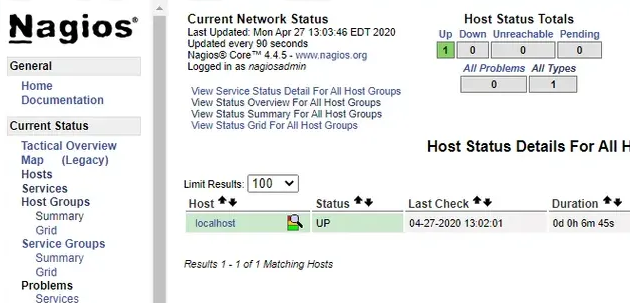
El siguiente script, permite la instalación de Nagios.
Es una configuración mínima, pero funcional
email='[email protected]'
password='123456'

sudo groupadd nagcmd
sudo useradd -c "Nagios user" -G nagcmd nagios

apt-get update -y
apt-get upgrade -y
apt-get install build-essential openssl libssl-dev xinetd apache2-utils unzip python-pip -y

pip install netutils-linux

apt-get install apache2 php-mysql php libapache2-mod-php php-mcrypt php-cli php-cgi php-common php-curl -y

sed -i 's/index.html/index.php/1' /etc/apache2/mods-enabled/dir.conf
sed -i 's/index.php/index.html/2' /etc/apache2/mods-enabled/dir.conf
echo "ServerName ${HOSTNAME}" >> /etc/apache2/apache2.conf

cd ~
curl -L -O https://assets.nagios.com/downloads/nagioscore/releases/nagios-4.4.5.tar.gz
tar -xzvf nagios-4.4.5.tar.gz
cd nagios-4.4.5

./configure --with-nagios-group=nagios --with-command-group=nagcmd
make all
make install
make install-commandmode
make install-init
make install-config

/usr/bin/install -c -m 644 sample-config/httpd.conf /etc/apache2/sites-available/nagios.conf

usermod -G nagcmd www-data

cd ~
curl -L -O http://nagios-plugins.org/download/nagios-plugins-2.1.1.tar.gz
tar -xzvf nagios-plugins-*.tar.gz
cd nagios-plugins-*

./configure --with-nagios-user=nagios --with-nagios-group=nagios --with-openssl
make
make install

cd ~
curl -L -O http://downloads.sourceforge.net/project/nagios/nrpe-2.x/nrpe-2.15/nrpe-2.15.tar.gz;
tar -xzvf nrpe-*
cd nrpe-*

./configure --enable-command-args --with-nagios-user=nagios --with-nagios-group=nagios --with-ssl=/usr/bin/openssl --with-ssl-lib=/usr/lib/x86_64-linux-gnu
make all
make install
make install-xinetd
make install-daemon-config

# OBTENER IP INTERNA (Amazon Web Services)
priv_ip=$(curl -s http://169.254.169.254/metadata/v1/interfaces/private/0/ipv4/address)

sed -i "/only_from/s/$/ ${priv_ip}/" /etc/xinetd.d/nrpe

service xinetd restart

sed -i 's&#cfg_dir=.*servers&cfg_dir=/usr/local/nagios/etc/servers&1' /usr/local/nagios/etc/nagios.cfg
echo -e "enable_event_handlers=1\ncommand_check_interval=30s" >> /usr/local/nagios/etc/nagios.cfg

mkdir -p /usr/local/nagios/etc/servers

sudo cat << _EOF_ > /usr/local/nagios/etc/servers/sample.cfg.txt
define host {
    use                             linux-server
    host_name                       web1
    alias                           application node
    address                         10.134.9.156
    max_check_attempts              5
    check_period                    24x7
    notification_interval           30
    notification_period             24x7
}

define service {
    use                             generic-service
    host_name                       web1
    service_description             loadavg
    check_command                   check_nrpe!check_load
    max_check_attempts              5
    check_interval                  5
    retry_interval                  3
    check_period                    24x7
    notification_interval           30
    notification_period             24x7
    notification_options            w,c,r
}
_EOF_

sed -i "s/nagios@localhost/${email}/" /usr/local/nagios/etc/objects/contacts.cfg

echo "define command{
  command_name check_nrpe
  command_line \$USER1$/check_nrpe -H \$HOSTADDRESS$ -c \$ARG1$
}" >> /usr/local/nagios/etc/objects/commands.cfg

cd /etc/apache2/sites-available/
a2ensite nagios.conf

a2enmod rewrite
a2enmod cgi

htpasswd -b -c /usr/local/nagios/etc/htpasswd.users nagiosadmin ${password}

ln -s /etc/init.d/nagios /etc/rcS.d/S99nagios

service nagios start
service apache2 restart
Ya tendremos la consola y acceso listo: